Dock with basics done right.
Try the app. The experience speaks for itself.
// 01: Windows & Desktops
[7 FEATURES]-
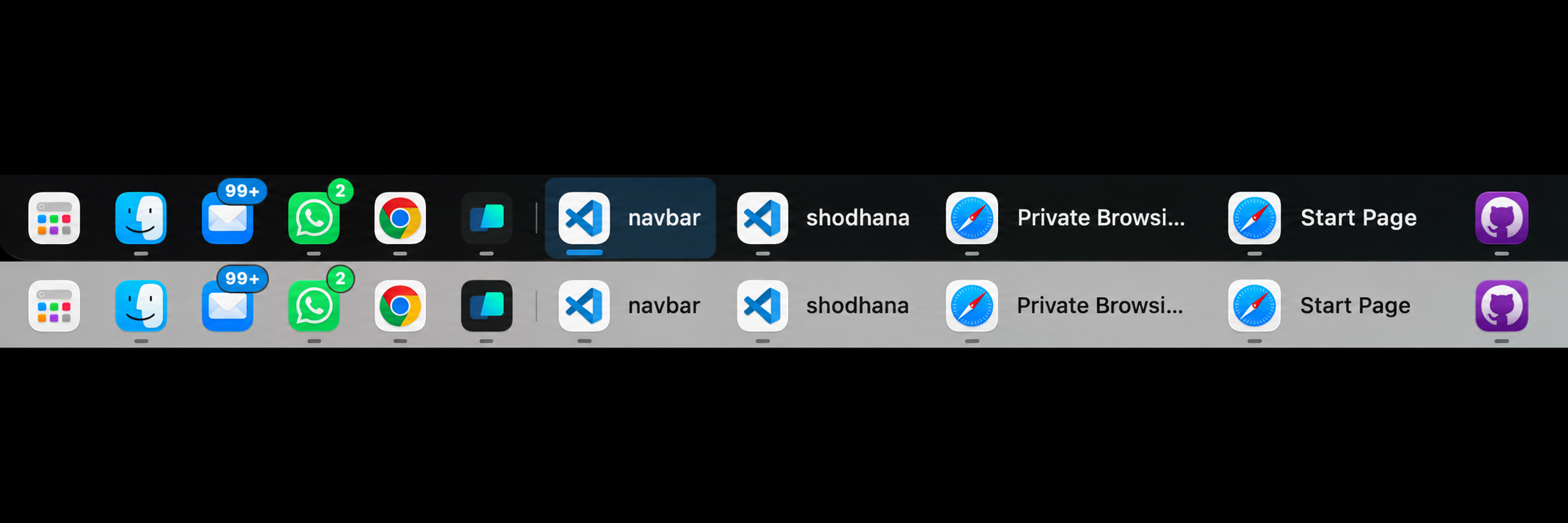
Multi-Window Taskbar Item Expansion Individual Window Titles
When an app has multiple open windows, the taskbar dynamically expands to display individual window titles alongside the app icon instead of bundling them into a blind icon.
-
Per-Display Multi-Window Scope Display-Aware Filtering
Restricts window expansion exclusively to windows residing on the current connected monitor, preventing cross-screen clutter when working across multi-display setups.
-
Return to Your Previous App Pick Up Where You Left Off
When you close the window you’re using, NavBar brings you back to the app you were working in before it.
-
Independent Desktop Space Isolation Cross-Space Integrity
Keeps window lists and active indicators strictly isolated per desktop Space, ensuring smooth transitions without background window bleeding or stacking artifacts.
-
Smooth Desktop Switching Follows Your Swipes
Swipe between desktops with your trackpad. NavBar follows the switch without flashing icons or shuffling their order.
-
Hide in Fullscreen, Reveal on Hover There When You Need It
NavBar stays out of the way in fullscreen so you can reach video controls and other tools at the bottom of the screen. Move your pointer to the bottom edge to reveal it, with a short delay to reduce accidental reveals.
-
Reliable Clicks at the Screen Edge Click Without Interference
Click NavBar normally at the bottom of your screen, without accidentally selecting text or resizing windows behind it.
// 02: Appearance & Favorites
[4 FEATURES]-
Choose Your Look Six Appearance Options
Choose Liquid Glass, Pitch Black, Dark, Light Frosted, or Transparent, or use Auto to follow your Mac’s appearance.
-
Pinned Favorites Bubble & Hairline Partition Visual Hierarchy
Renders a subtle frosted pill around favorite pinned apps, bounded by a 1px vertical hairline separator before dynamic unpinned items.
-
Drag-and-Drop Pinned App Reordering Drag & Drop Reorder
Drag and drop pinned apps to reorder your dock with live neighbor displacement and instant multi-space persistence.
-
Live Unread Notification Badges Real-Time Alerts
Displays live incoming notification badges directly on relevant taskbar icons, with selectable minimal dots or clear numeric count badges.
// 03: Apps You Want to Keep Open
[2 FEATURES]-
Keep Menu Bar Apps Running Background Apps Stay Open
Apps with an icon in the macOS menu bar stay running when you close their window, so their background features remain available.
-
Custom Bundle Whitelist Registry User Whitelist
Add individual applications to an exemption list via running process picker or native file dialog so they remain open indefinitely.